'Settings' Editor (SliceBus Controller)
The following information refers to a specific, typical device type. Your screen may differ.
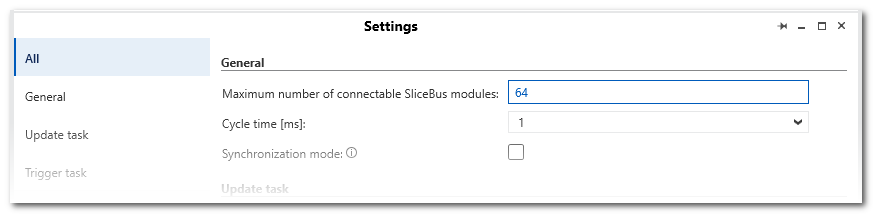
This help topic describes the 'Settings' editor of the 'SliceBus' PLANT node (which represents the SliceBus Controller). On the left side on the 'Settings' page, several editor categories can be selected. These are described below in detail.
This topic contains the following sections:
'All'
After selecting the 'All' category, the settings that are available in each category are visible on one page.
'General'
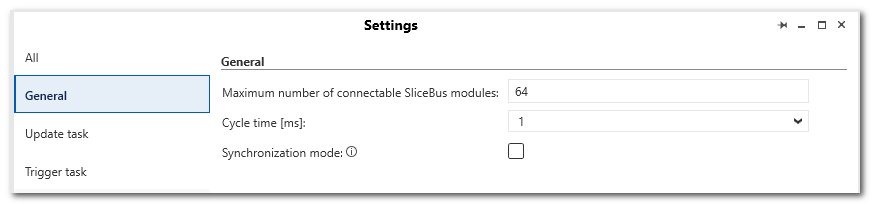
| Parameter | Description |
|---|---|
| Maximum number of connectable Profinet devices | Indicates how many SliceBus modules can be connected to the controller. The maximum number of table rows in the 'Module List' editor corresponds to this number. |
| Cycle time [ms] | Drop-down list for setting the cycle time on the local bus. |
| Synchronization mode | If selected, the synchronization on the local bus is activated. |
'Update task'
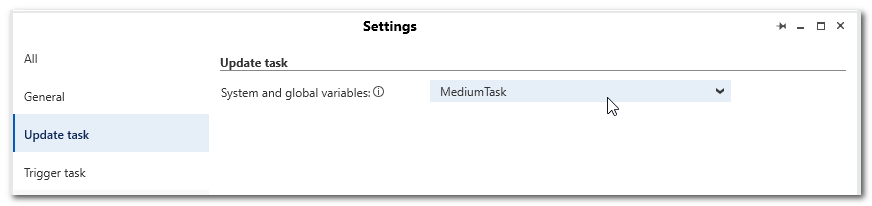
The interval at which variables are updated from the running controller can be configured by selecting an update task.
| Parameter | Description | |
|---|---|---|
| System and global variables | Drop-down list for selecting the task with which the SliceBus system variables (SliceBus / SB_*) and the assigned global input/output variables are updated.The drop-down list provides the suitable tasks for selection that are defined in the 'Tasks and Events' editor (on the 'PLCnext' PLANT node). Depending on the controller used, different settings concerning update tasks may be possible.
|
'Trigger task'
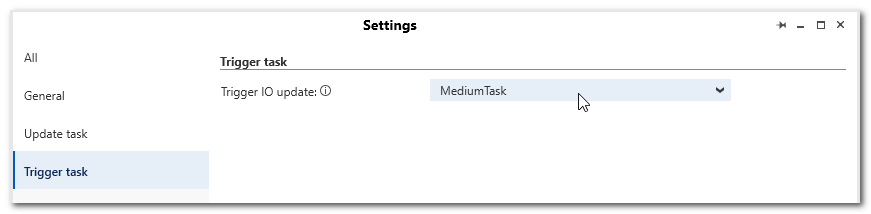
| Parameter | Description | |
|---|---|---|
| System and global variables | Drop-down list for selecting the task with which the I/Os of the connected SliceBus I/O devices are updated (that is tp say, when the global input/output variables connected to the process data items are read/written).
|