'Settings' Editor (EtherCAT SLIO Module)
The following information refers to a specific, typical device type. Your screen may differ.
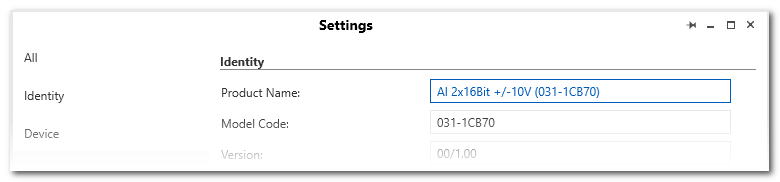
This help topic describes the 'Settings' editor of an EtherCAT SLIO module. EtherCAT SLIO modules are child elements of an EtherCAT SLIO bus coupler slave. On the left side on the 'Settings' page, several editor categories can be selected. These are described below in detail.
This topic contains the following sections:
'All'
After selecting the 'All' category, the settings that are available in each category are visible on one page.
'Identity'
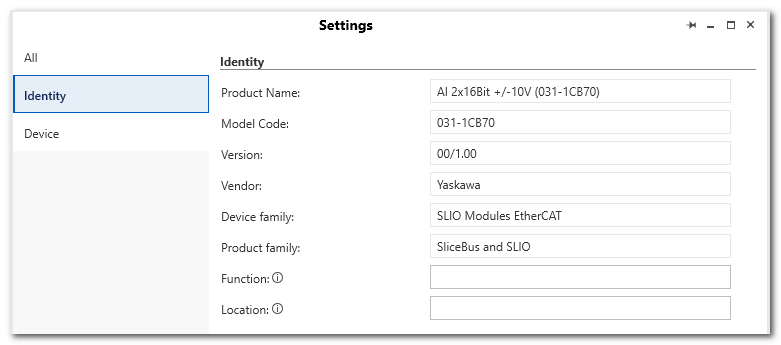
| Parameter | Description |
|---|---|
| Product Name, Model Code, Version etc. | Identification data of the I/O module. The data is read from description file of the device. |
| Function | Function description appropriate to the PROFINET specification. The parameter is still available after a firmware update.The 'Function' text is shown in the module node name (preceding the type) in the PLANT.Max. string length: 32 characters |
| Location | Installation location of a device appropriate to the PROFINET specification. The parameter still available after a firmware update.If no 'Function' is specified, the 'Location' text is visible in the tree.Max. string length: 32 characters |
'Device'
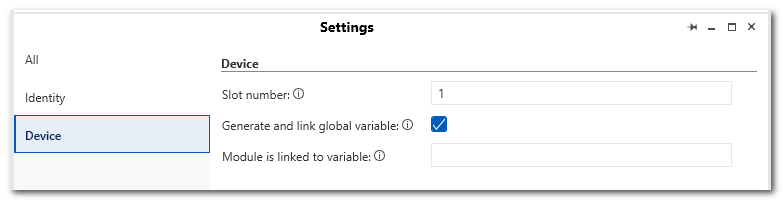
| Parameter | Description |
|---|---|
| Slot number | Displays the slot number of the module. |
| Generate and link global variables | If activated, iCube Engineer automatically creates a global variable which enables access to the process data of the module. |
| Module is linked to variable | Displays the global variable to which the module (i.e., its process data) is linked. |