'Settings' Editor (EtherCAT Slave Device)
The following information refers to a specific, typical device type. Your screen may differ.
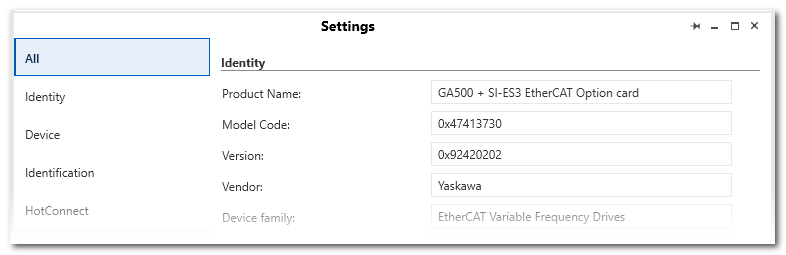
This help topic describes the 'Settings' editor of an EtherCAT slave device in the PLANT. EtherCAT slave devices are child elements of the 'EtherCAT' node (which represents the EtherCAT Master). The editor is used to configure the EtherCAT slave device which is currently selected in the PLANT.
| Further Info
Detailed information on the EtherCAT slave configuration as well as step-by-step procedures can be found in the help chapter "EtherCAT-specific Properties". |
On the left side on the 'Settings' page, several editor categories can be selected. These are described below in detail.
What's the idea for the other setting descriptions of all available modules?
- One module as an example?
- Detailed topics provided by you?
This topic contains the following sections:
'All'
After selecting the 'All' category, the settings that are available in each category are visible on one page.
'Identity'
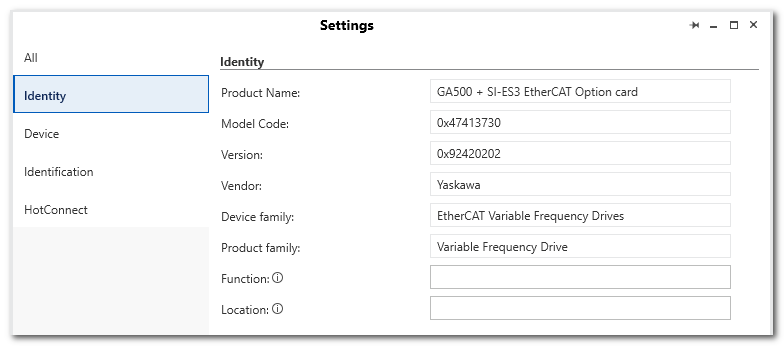
| Parameter | Description |
|---|---|
| Product Name, Model Code, Version etc. | Identification data of the I/O module. The data is read from description file (ESI file) of the device. |
| Function | Function description of the device. The parameter is still available after a firmware update.The 'Function' text is shown in the device node name (preceding the type) in the PLANT.Max. string length: 32 characters |
| Location | Installation location of the device. The parameter still available after a firmware update.If no 'Function' is specified, the 'Location' text is visible in the tree.Max. string length: 32 characters |
'Device'
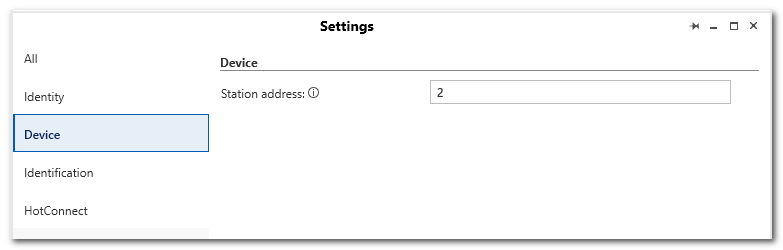
| Parameter | Description |
|---|---|
| Station Address | Indicates the station address of the device with which the slave is identified by the EtherCAT Master. This number corresponds to order of devices in the 'Device List' of the EtherCAT Master. |
| Maximum number of connectable SLIO modules | This parameter is only available in case of an EtherCAT SLIO bus coupler.Indicates how many EtherCAT SLIO modules can be connected to the EtherCAT slave device. This number depends on the device and is specified in its device description (ESI file). The maximum number of table rows in the 'Module List' editor corresponds to this number. |
'Hot Connect'
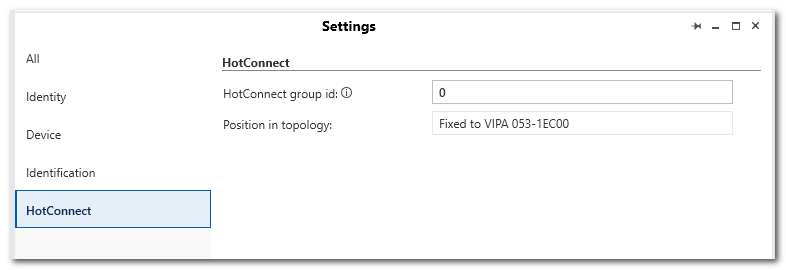
| Parameter | Description |
|---|---|
| Create HC Group for Slaves | Enter the ID of the HotConnect group to which the slave device shall belong. This number corresponds to the ID (station address) of the first member of this HotConnect group.The HotConnect (HC) functionality allows to disconnect EtherCAT modules from the network during operation in terms of communication (for example, by switching off or disconnecting the Ethernet line) or to insert them into the data traffic (for example, by switching on or plugging in the Ethernet line). |
| Position in topology | Indicates the position at the EtherCAT field bus. It is derived from the order of the slave devices in the PLANT. |